From Excel to automated replenishment

No connected system for part of the data? Optiply imports suppliers, supplier products and product updates from Excel or CSV files. Optiply uses that data and the purchasing rules set by the team to calculate what to buy and when, and explains every decision.

Integration type

Data provider

Turn Excel or CSV data into purchasing decisions, automatically

Not every system has a connector. With Excel or CSV files you bring supplier and product data into Optiply yourself, so your purchasing advice starts from your own numbers.

  • The supply chain agent works with the supplier and product data you import
  • Download the import template, then match your columns to Optiply's fields
  • Imported supplier data feeds your purchasing advice
Turn your system data into purchasing decisions, automatically

How it works

From Excel to a purchasing decision in four steps

1

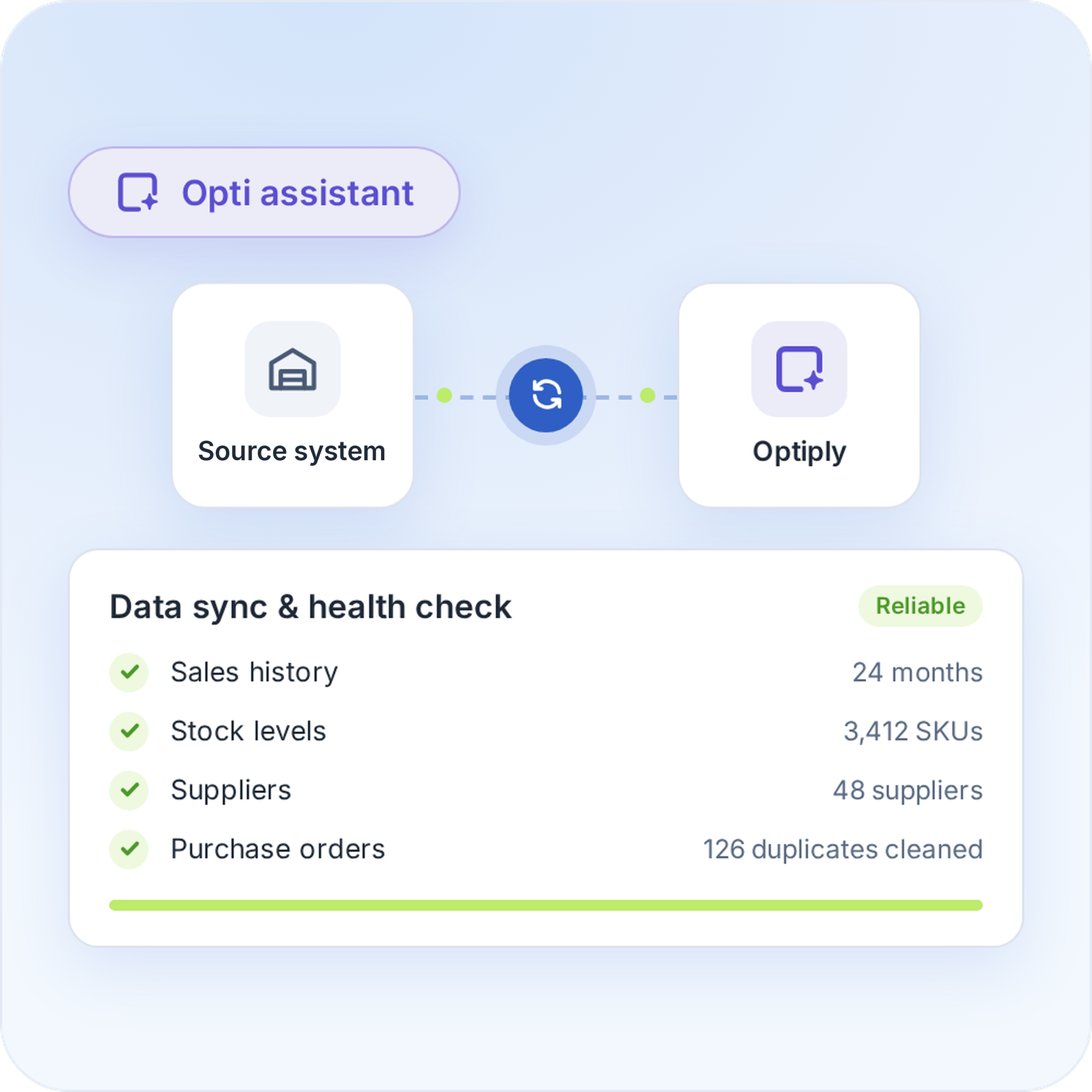
Import your data from Excel or CSV

Import your data from Excel or CSV
Download the import template for the data you want to bring in, and fill it with your own data. Then match your columns to Optiply's fields. The supply chain agent checks and cleans that data before it advises.
Import your data from Excel or CSV
2

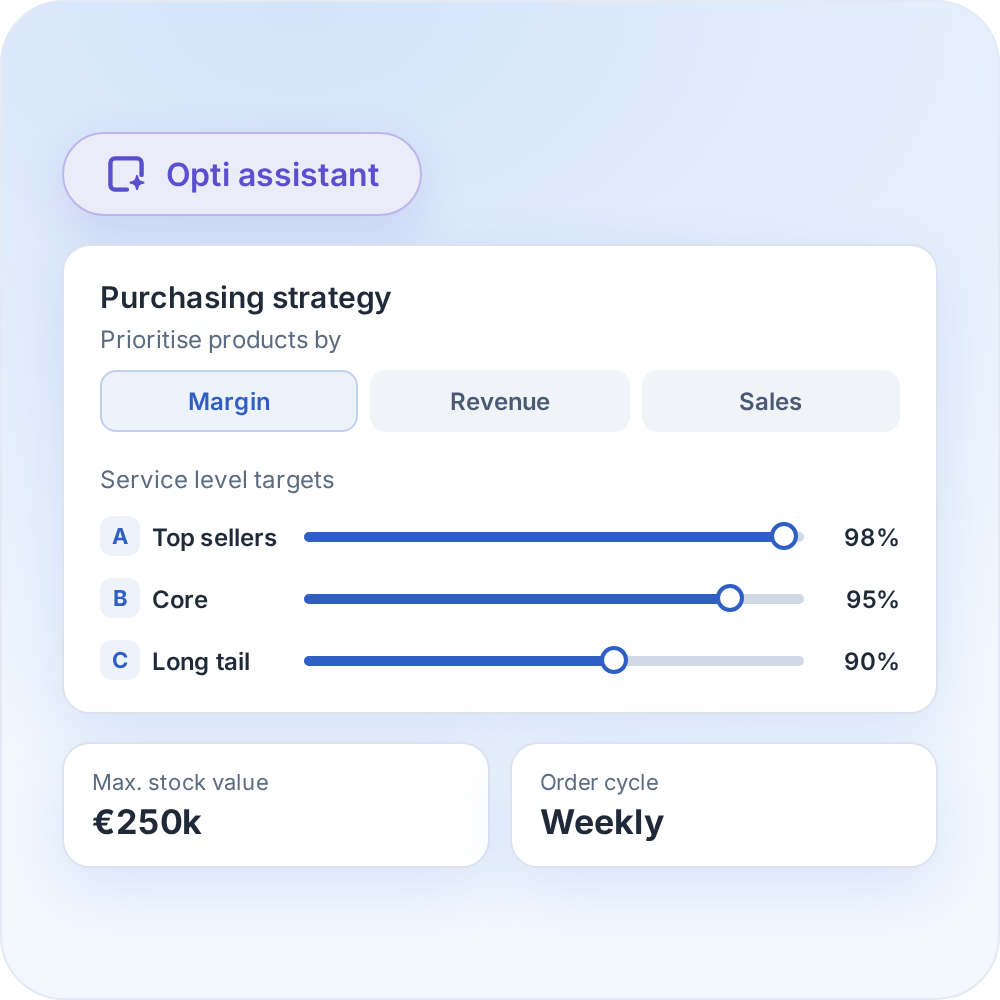
Set your inventory targets and purchasing strategy

Set your inventory targets and purchasing strategy
Set the inventory targets and purchasing rules that fit your business, with products prioritised by margin, revenue and sales.
Set your inventory targets and purchasing strategy
3

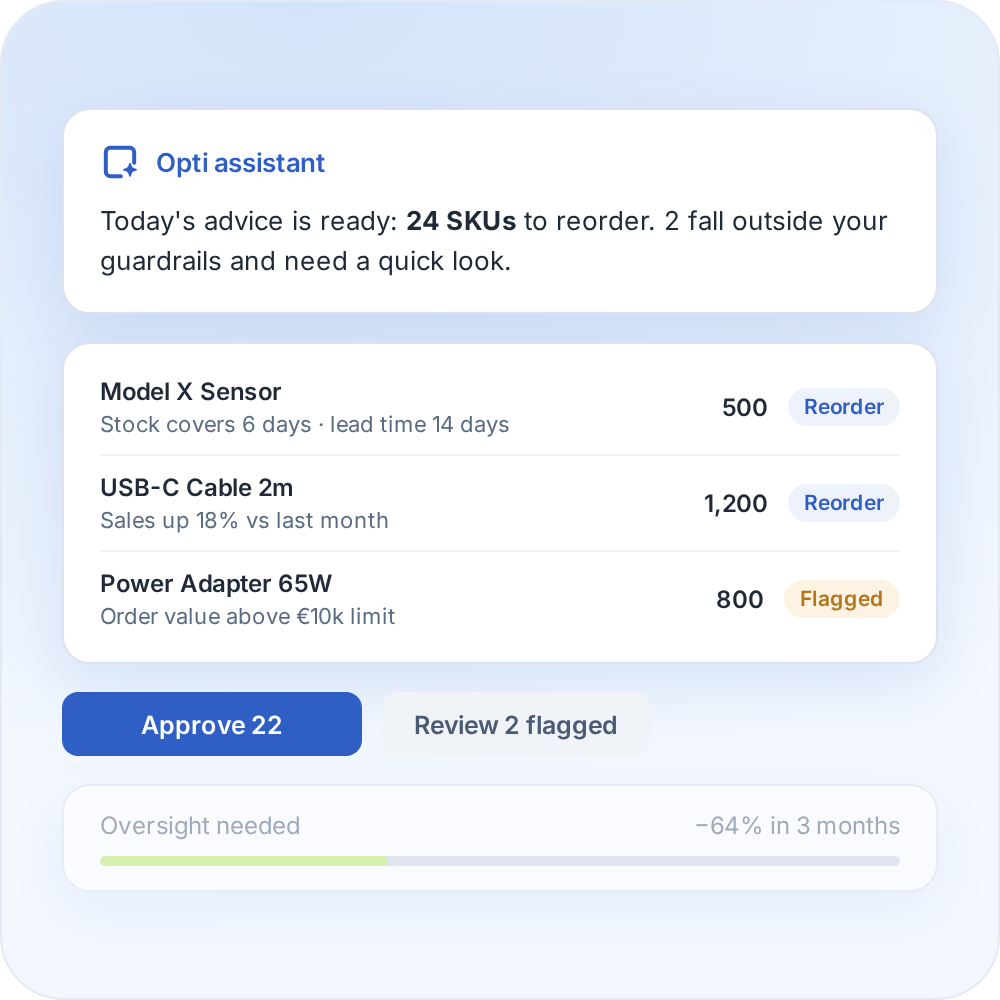
Review your purchasing advice

Review your purchasing advice
Optiply's supply chain agent learns your buying process and turns it into daily purchasing advice, explained on SKU level. Over time it needs less oversight and only flags what falls outside the guardrails.
Review your purchasing advice
4

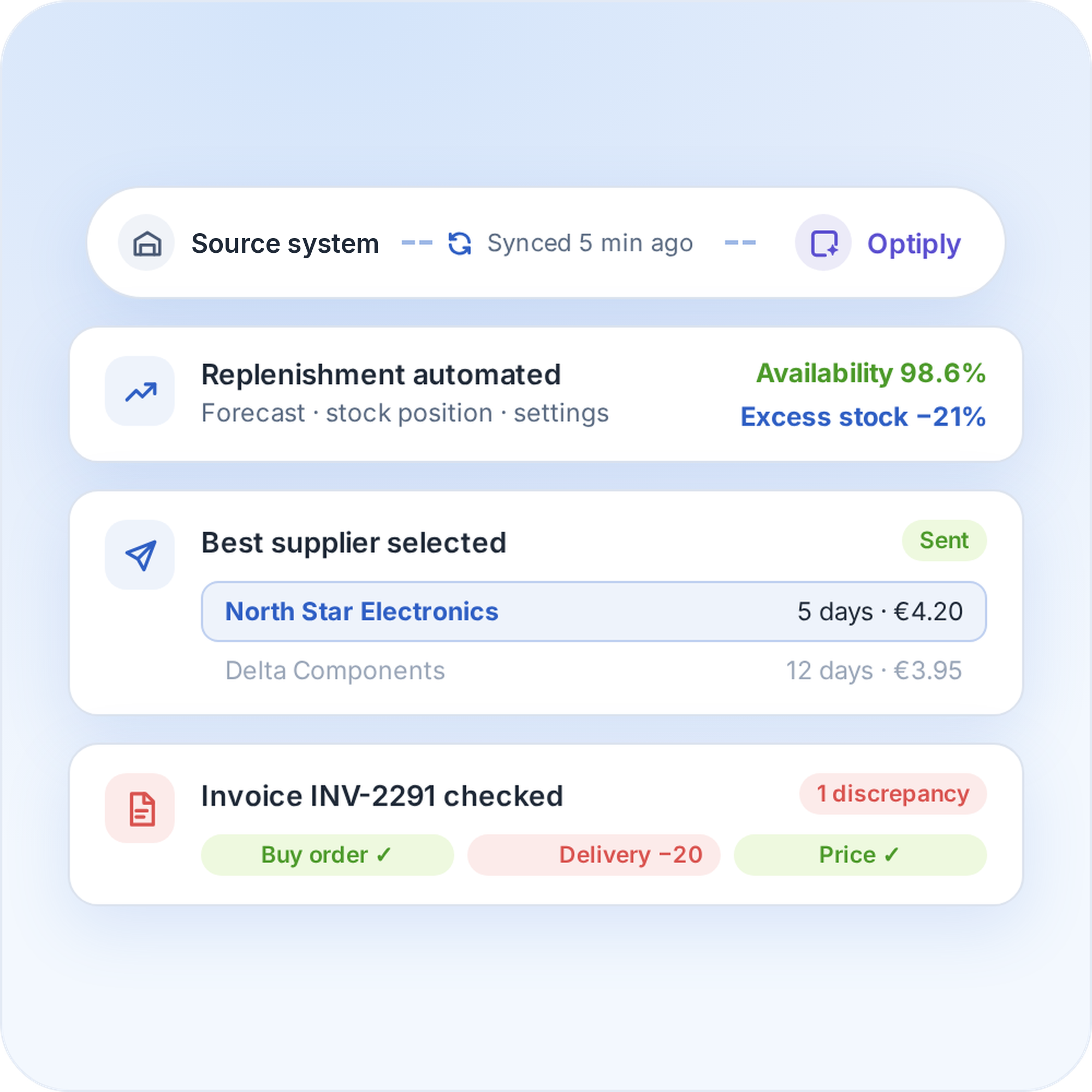
Automate your replenishment

Automate your replenishment
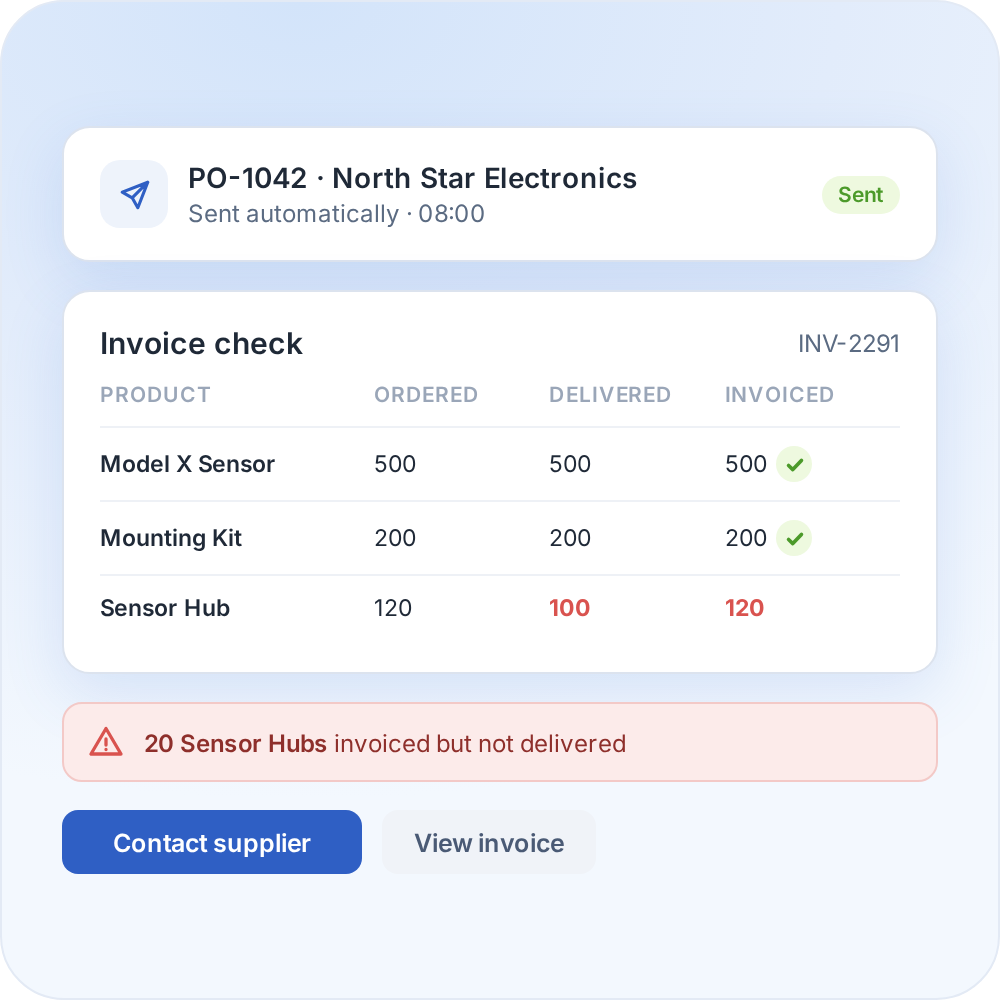
The supply chain agent can place orders and handle supplier communication and invoice discrepancies. The more it is used, the more it learns from the data and manual adjustments.
Automate your replenishment

Whatever system you use, we can connect to it

Optiply easily integrates with e-commerce software, warehouse software, ERPs and more. Any e-commerce store, warehouse or physical store can be linked.

CMS & e-commerce software

Automate your purchasing directly from your online store.

ERPs & CRMs

Easily synchronize purchasing, inventory and sales.

WMS & fulfillment software

Coordinate your purchasing with real-time inventory data.

FAQ

Frequently asked questions about the

Excel / CSV

integration

How does the Excel / CSV import work?

You download the template for a type of data, fill it in and upload it. Optiply then asks you to match your file's columns to its fields. Imports are available for suppliers, supplier products and updates to existing products. Data moves one way, from your file to Optiply.

Why bring my Excel data into Optiply?

Spreadsheets are a flexible place to start, but purchasing advice built by hand takes time. With your supplier and product data in Optiply, the supply chain agent prepares daily purchasing advice and explains every decision on SKU level, while the team keeps its own rules.

How do I prepare a file for Optiply?

Use the template for your import and add every required field, marked with an asterisk. Use the same identifier type on every row. Then match each column to the right Optiply field.

Where can I see my past imports?

You can review your import and export history in Optiply.

How can inventory automation help a team that plans purchasing in Excel?

Planning in spreadsheets takes time and depends on whoever builds them. Automating replenishment lets rules do the repetitive work, so the team reviews advice instead of building it and has more time for suppliers and exceptions.

Do I stay in control of purchasing decisions?

Yes. Optiply's supply chain agent follows the rules set by the team, explains every recommendation on SKU level and only flags what falls outside them. How much to automate is a choice.

Always make the right purchasing decisions

Keep control of your supply chain. Know exactly what, when and where to buy and always place the right orders to maximize revenue.

Get a demo

"What used to take a whole day now takes our buyers 15 mins, thanks to automating 92% of our process, whilst we’ve also cut our backorders in half and saved 20% on inventory."

Randy Hatzmann

Operational Manager

,

Mastertools