Automate your replenishment with the Exact Online integration

Optiply's supply chain agent turns Exact Online data and business rules into guardrails that guide every purchasing decision. It uses all available data to calculate what to buy, when and from which supplier, explains every decision and flags only what falls outside the guardrails, with purchase orders synced back to Exact Online.

Integration type

ERP & CRM

Turn Exact Online data into purchasing decisions, automatically

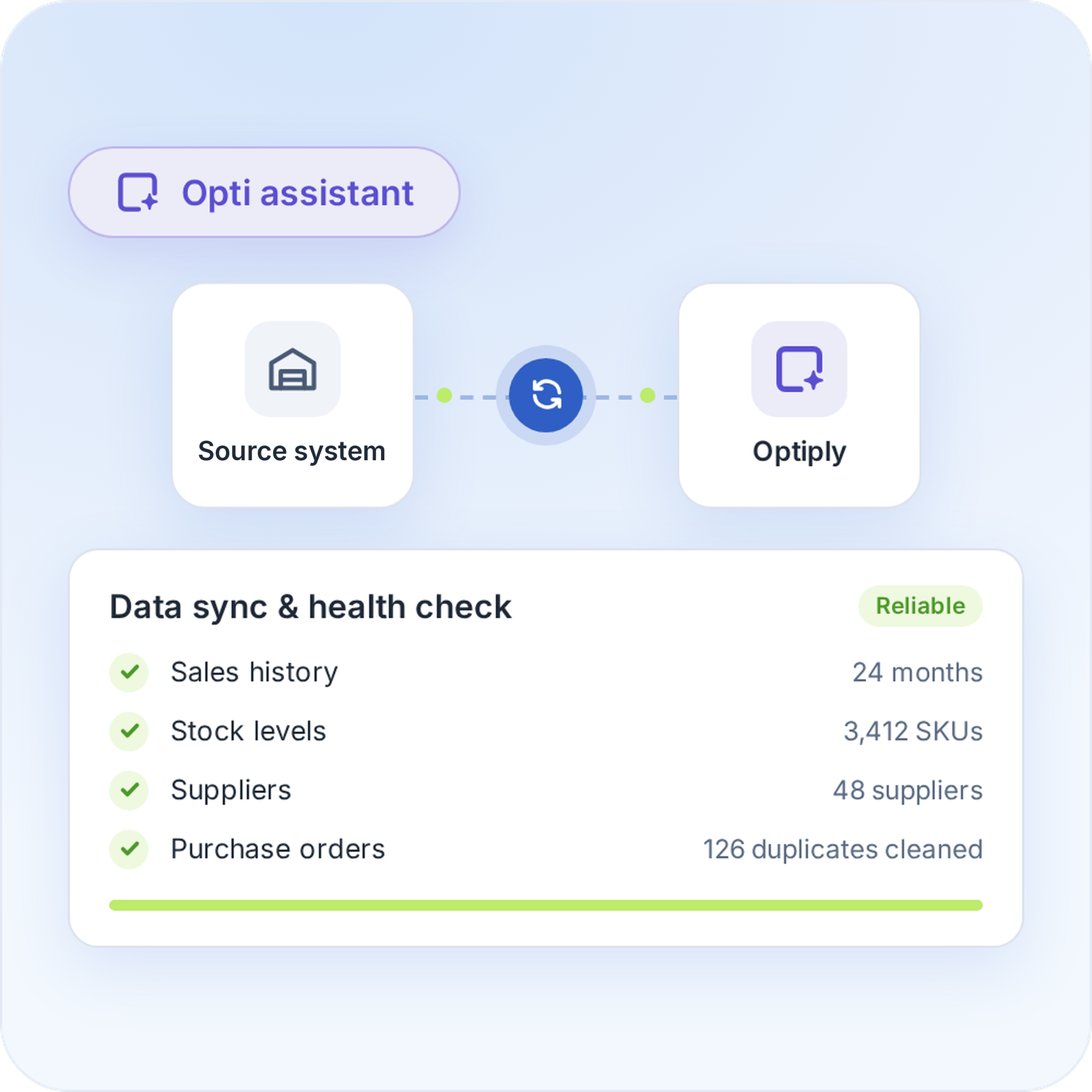
Exact Online already holds what a purchasing decision needs: sales history, stock position, open orders and supplier data. Optiply syncs that data on a regular schedule and automatically turns it into purchasing advice, so you work from current numbers instead of a manual export.

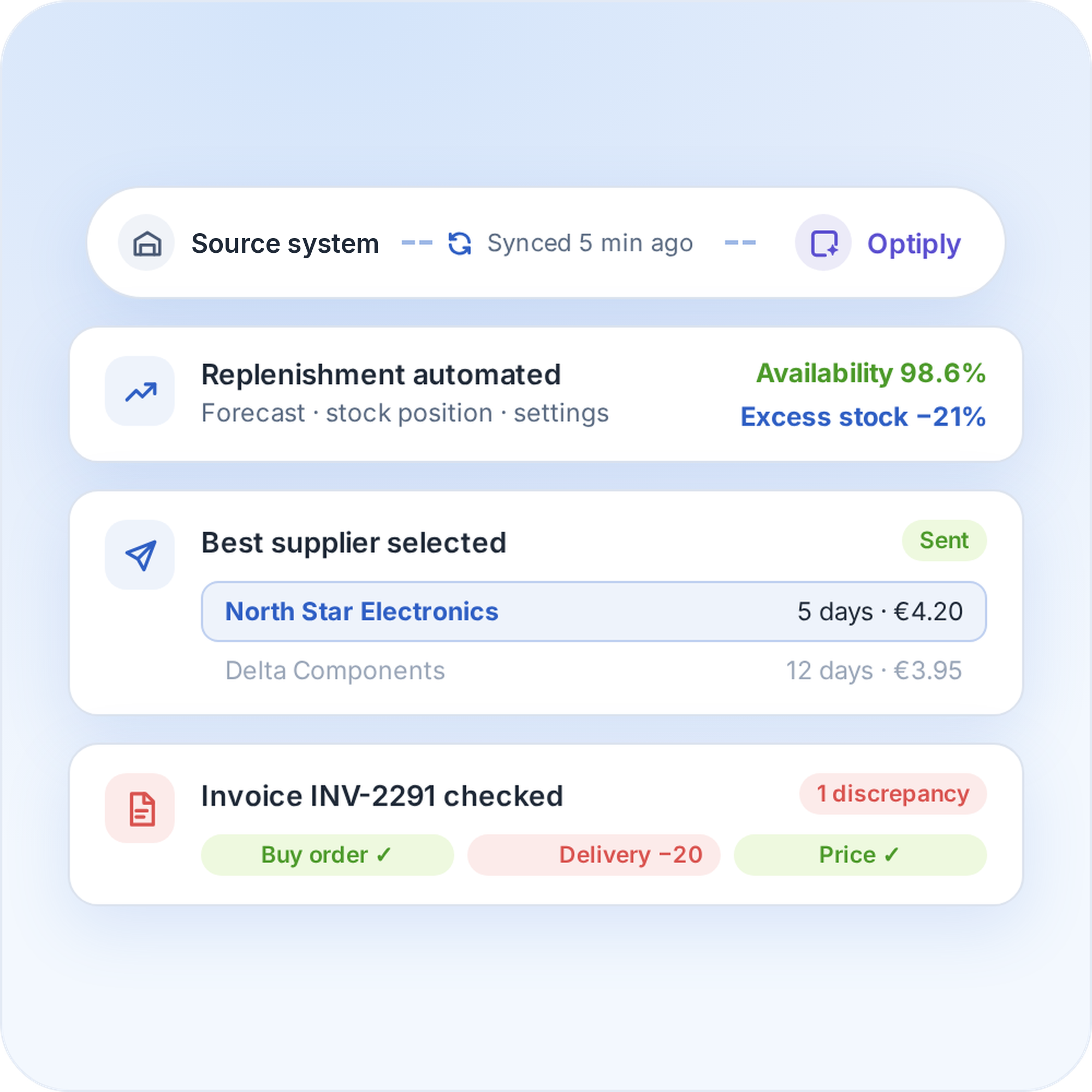
  • The supply chain agent automates replenishment for higher availability and less excess stock
  • Orders go to the best supplier automatically, based on lead time and price
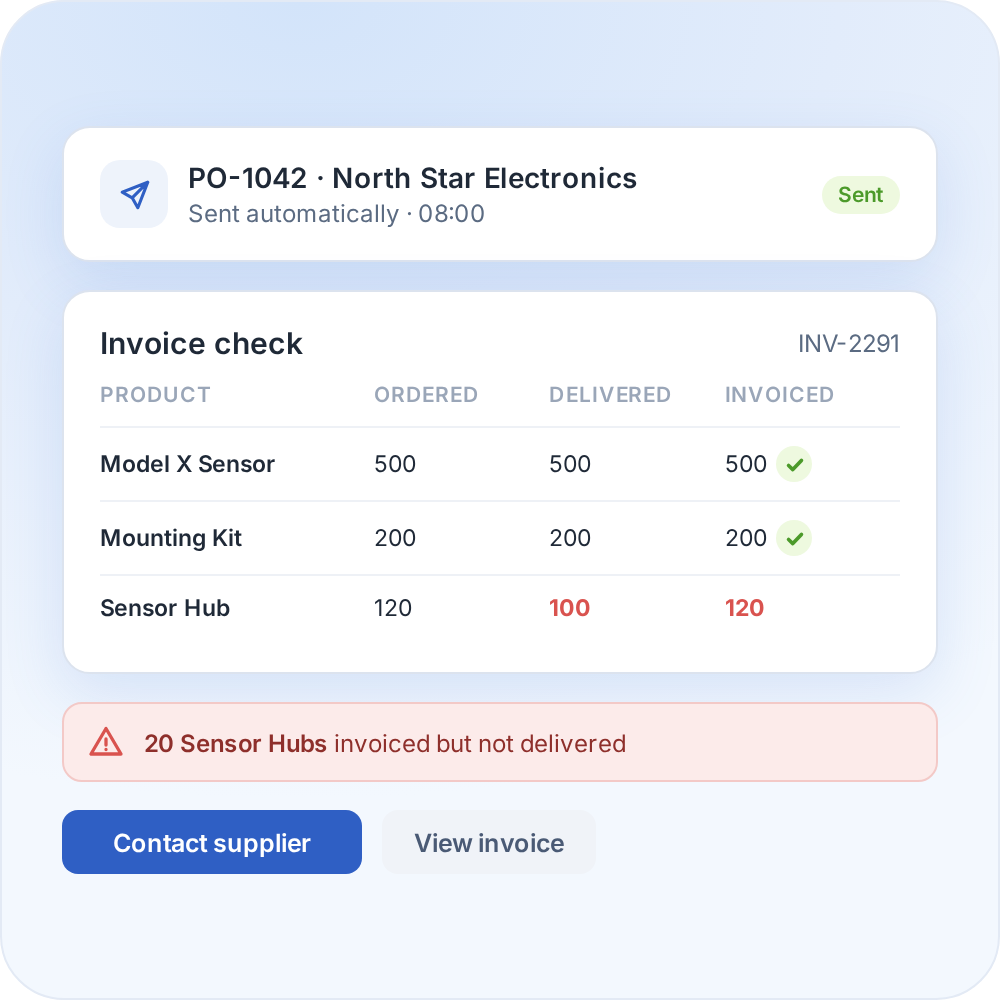
  • Optiply matches supplier invoices with Exact Online orders and deliveries and flags differences
Turn your system data into purchasing decisions, automatically

How it works

From Exact Online data to a purchasing decision in four steps

1

Connect Exact Online to Optiply

Connect Exact Online to Optiply
Optiply connects to Exact Online and syncs sales, stock, supplier and purchasing data. That data is checked and cleaned automatically, so the supply chain agent always works from reliable information.
Connect Exact Online to Optiply
2

Set your inventory targets and purchasing strategy

Set your inventory targets and purchasing strategy
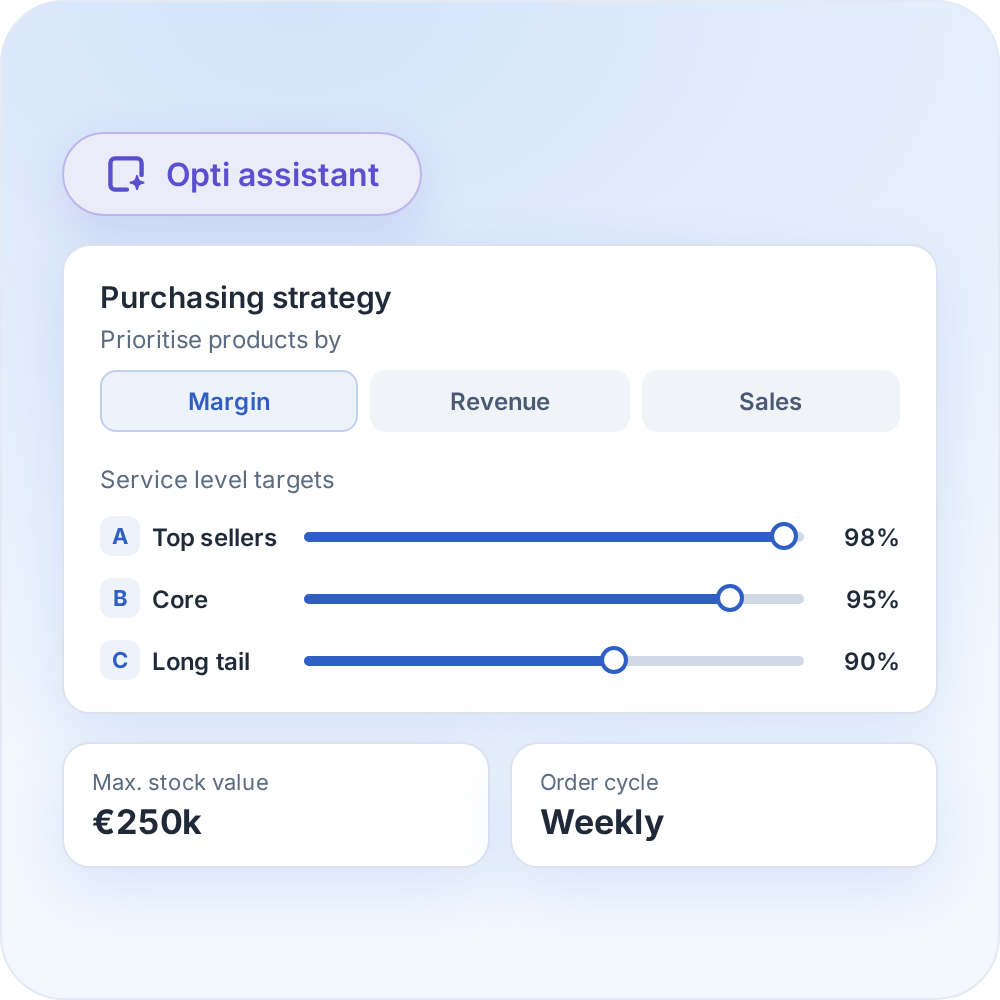
Set the inventory targets and purchasing rules that fit your business, with products prioritised by margin, revenue and sales.
Set your inventory targets and purchasing strategy
3

Review your purchasing advice

Review your purchasing advice
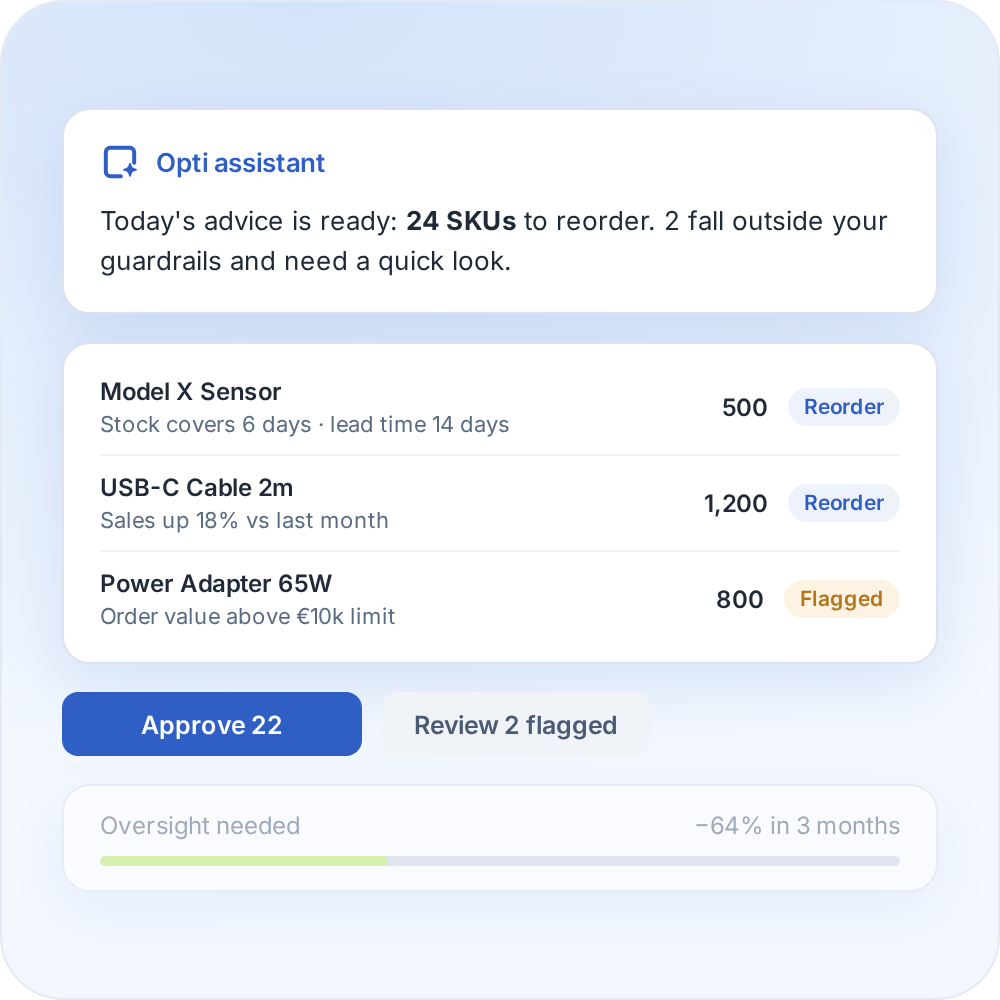
Optiply's supply chain agent learns your buying process and turns it into daily purchasing advice, explained on SKU level. Over time it needs less oversight and only flags what falls outside the guardrails.
Review your purchasing advice
4

Order and reconcile without manual work

Order and reconcile without manual work
Orders go to the supplier automatically, and every invoice is checked against the original purchase order and what was actually delivered, with discrepancies flagged at a glance.
Order and reconcile without manual work

FAQ

Frequently asked questions about the

Exact Online

integration

How does the Optiply and Exact Online integration work?

Optiply connects to Exact Online, syncs the data automatically and calculates purchasing advice you can review or automate to your own rules. See the full walkthrough above.

What data does Exact Online send to Optiply?

The integration synchronises product, stock, supplier, purchasing and goods-receipt data from Exact Online. Sales history can come from sales orders or sales invoices, depending on configuration. Production-related synchronisation requires the relevant modules and setup.

Does Optiply need admin access to our Exact Online environment?

The connection is authorised through Exact Online. The Exact user connecting the integration needs the appropriate permissions, and Optiply's integration team can confirm exactly what's required for each setup.

How long does it take to connect Exact Online to Optiply?

The onboarding timeline depends on the setup and on how ready the data is.

Is 3-way invoice matching available for Exact Online today?

Yes, it's live today for Exact Online.

Does the integration replace Exact Online's own purchasing functions?

No. Optiply adds forecasting and purchasing automation on top of Exact Online, including purchase order synchronisation back into the Exact Online environment.

Always make the right purchasing decisions

Keep control of your supply chain. Know exactly what, when and where to buy and always place the right orders to maximize revenue.

Get a demo

"Optiply is a great addition to Exact. Where I still had to add a lot of information myself in Exact, Optiply has it ready dynamically."

Martijn Ouwerkerk

Founder

,

SoundImports