Automate your replenishment with the Shopware integration

Optiply syncs with Shopware to give real-time insight into inventory. Optiply uses that data and the purchasing rules set by the team to calculate what to buy and when, and explains every decision.

Integration type

CMS & Webshop

Turn Shopware data into purchasing decisions, automatically

Shopware already holds the products, stock and sales orders. Optiply uses them to show you what to buy and when to place a purchase order.

  • The supply chain agent works from real-time insight into your Shopware stock
  • Products no longer in Shopware drop out of Optiply automatically
  • Your purchase agenda shows clearly what to buy and replenish
Turn your system data into purchasing decisions, automatically

How it works

From Shopware data to a purchasing decision in four steps

1

Connect Shopware to Optiply

Connect Shopware to Optiply
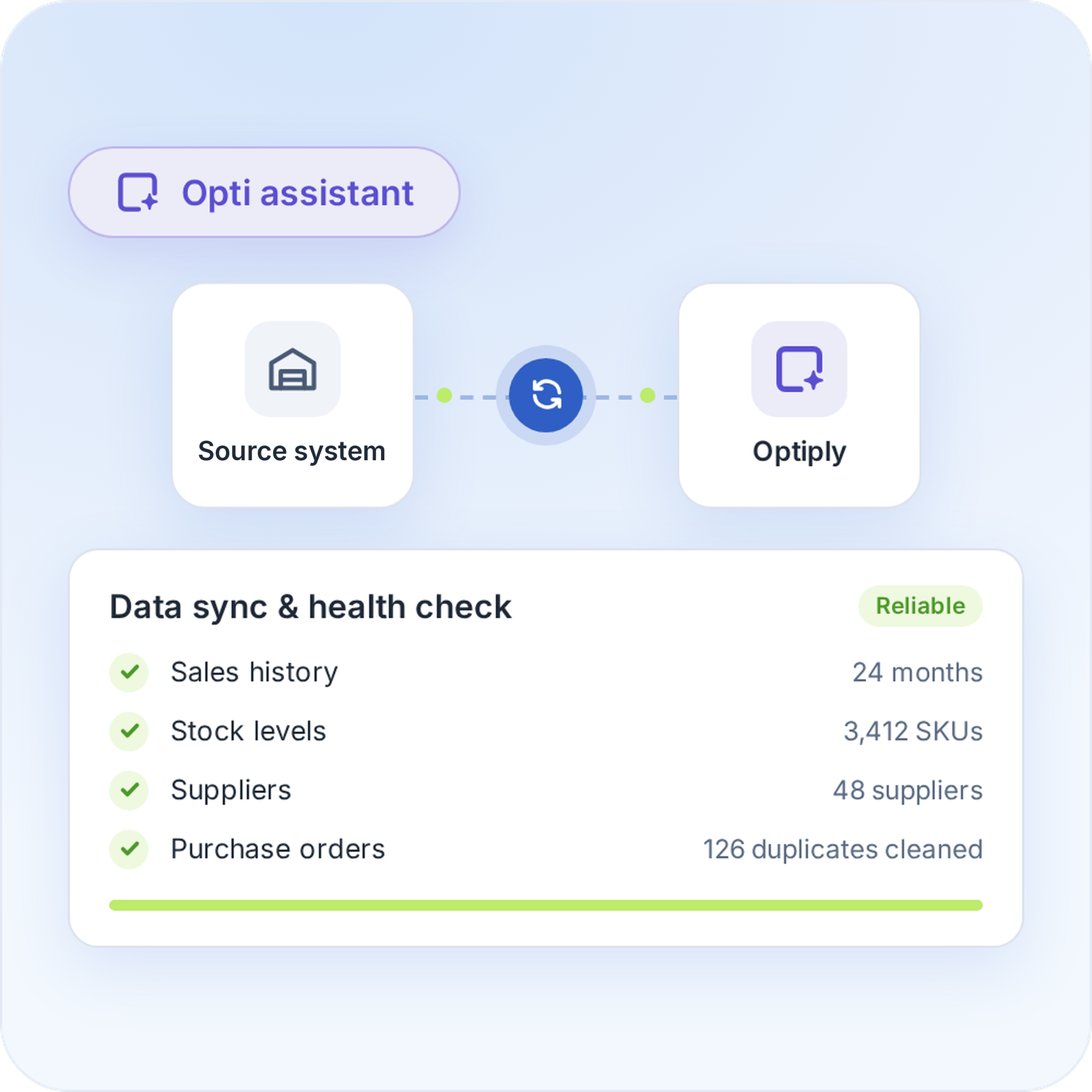
Optiply support completes the Shopware connection with you. Shopware then sends the products, stock levels and sales orders to Optiply. Optiply's supply chain agent automatically checks and cleans that data, so it always works from reliable information.
Connect Shopware to Optiply
2

Set your inventory targets and purchasing strategy

Set your inventory targets and purchasing strategy
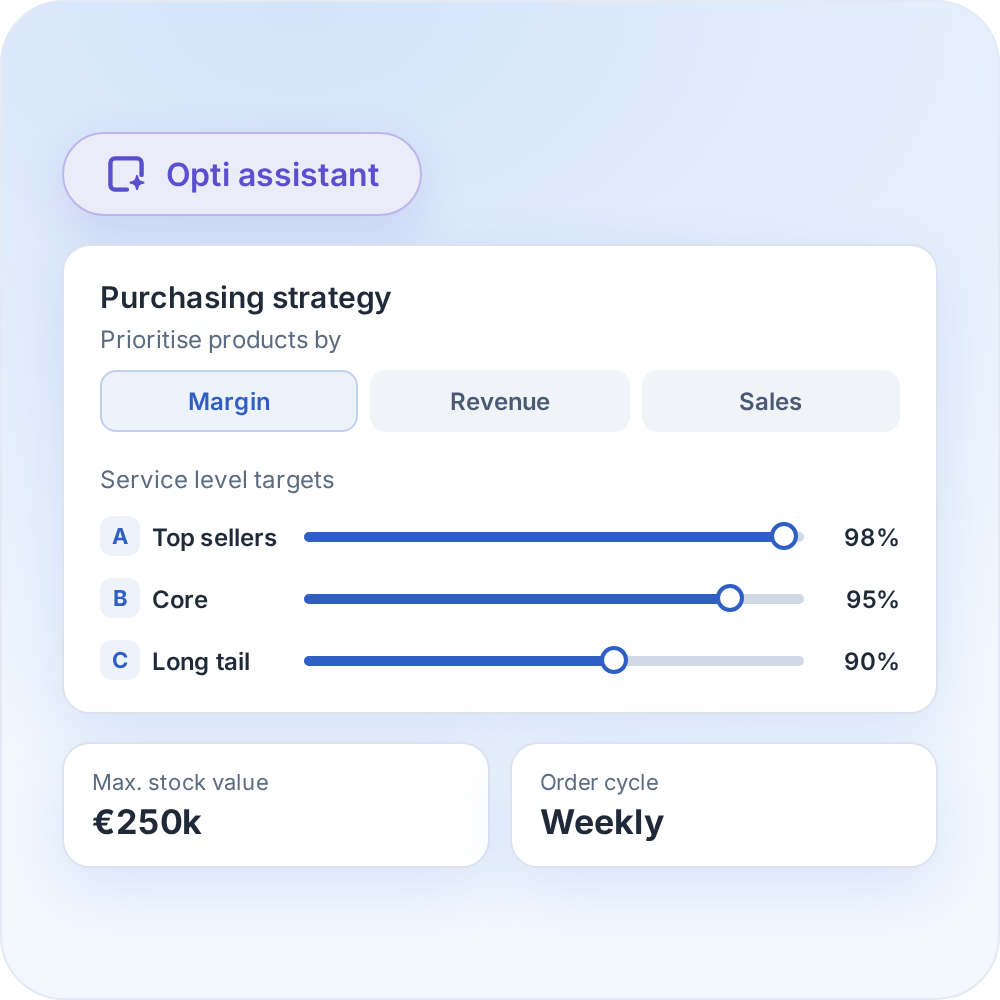
Set the inventory targets and purchasing rules that fit your business, with products prioritised by margin, revenue and sales.
Set your inventory targets and purchasing strategy
3

Review your purchasing advice

Review your purchasing advice
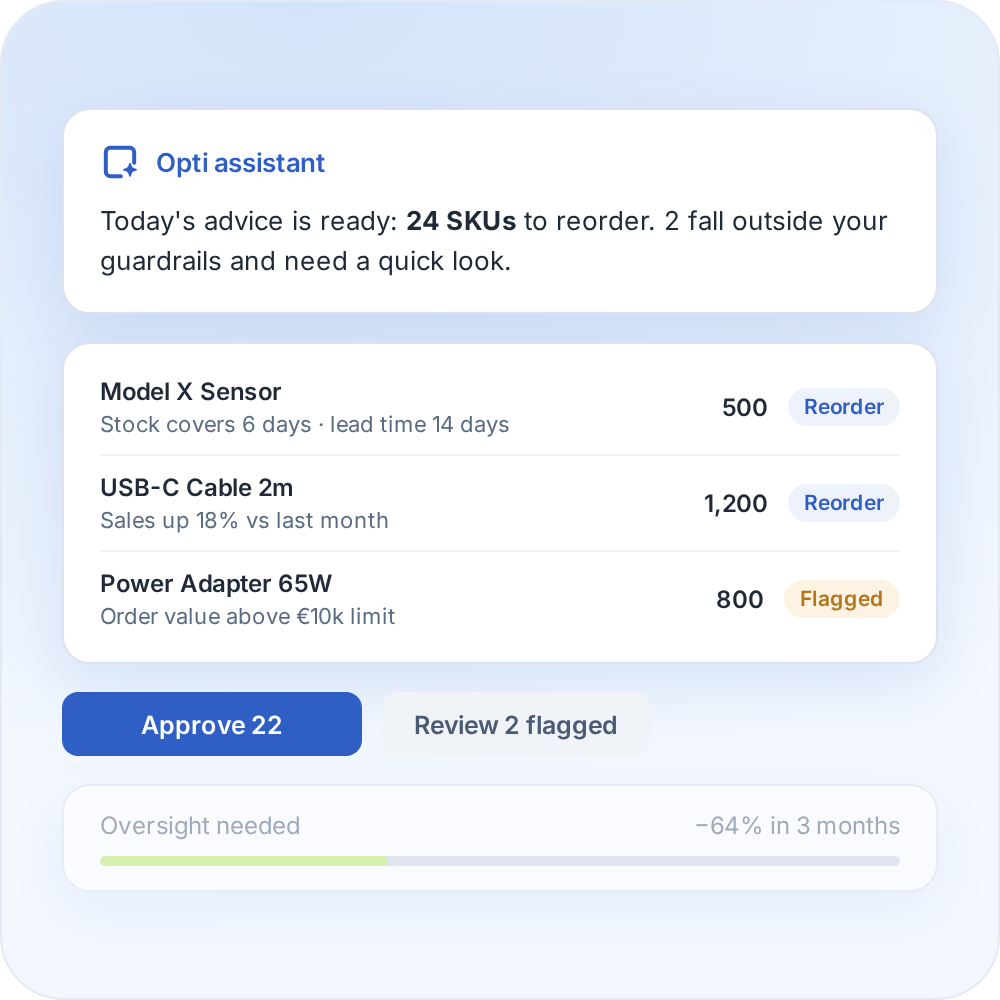
Optiply turns your data into daily purchasing advice and explains it on SKU level. You review and validate it, and as it learns your buying process it only flags what falls outside your guardrails.
Review your purchasing advice
4

Automate your replenishment

Automate your replenishment
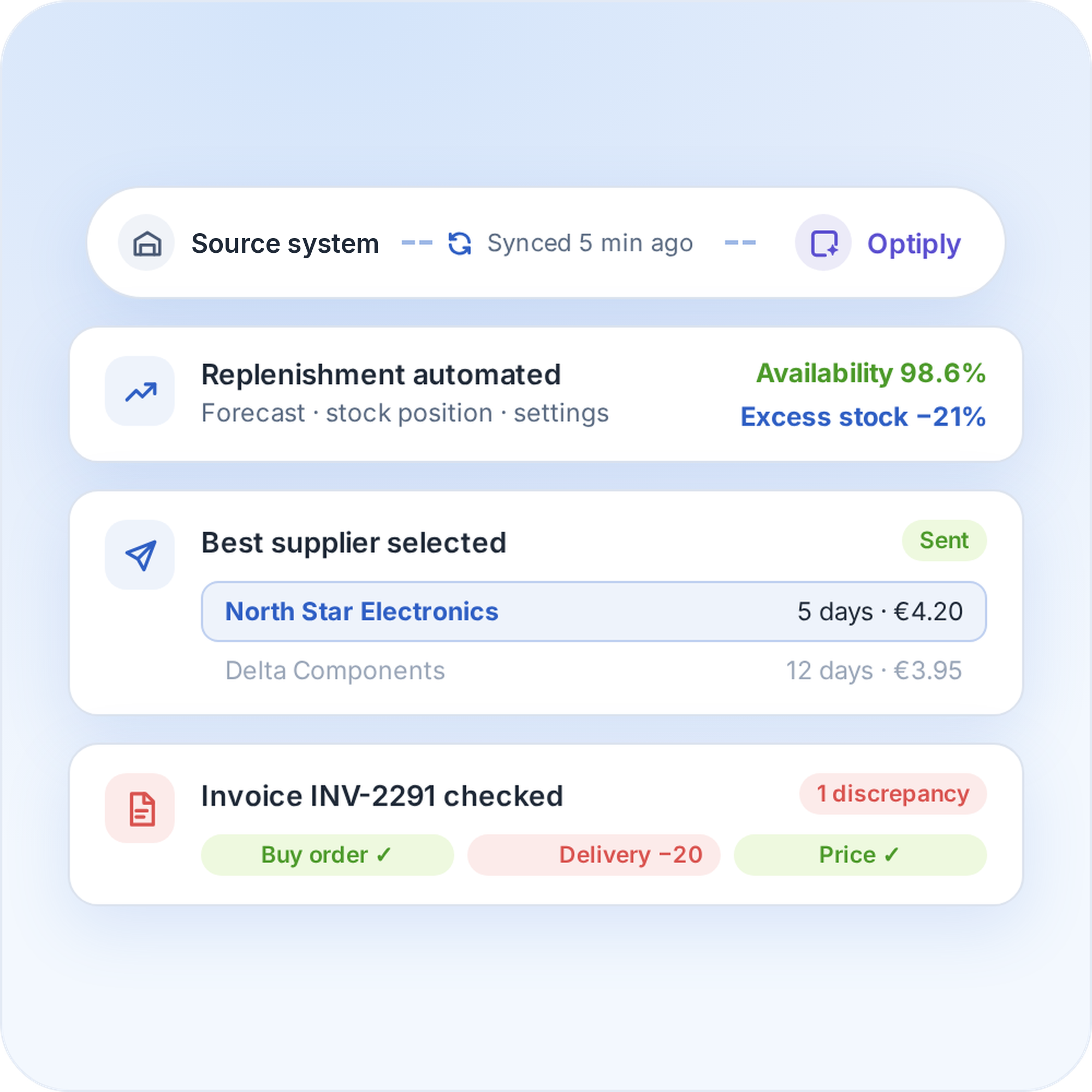
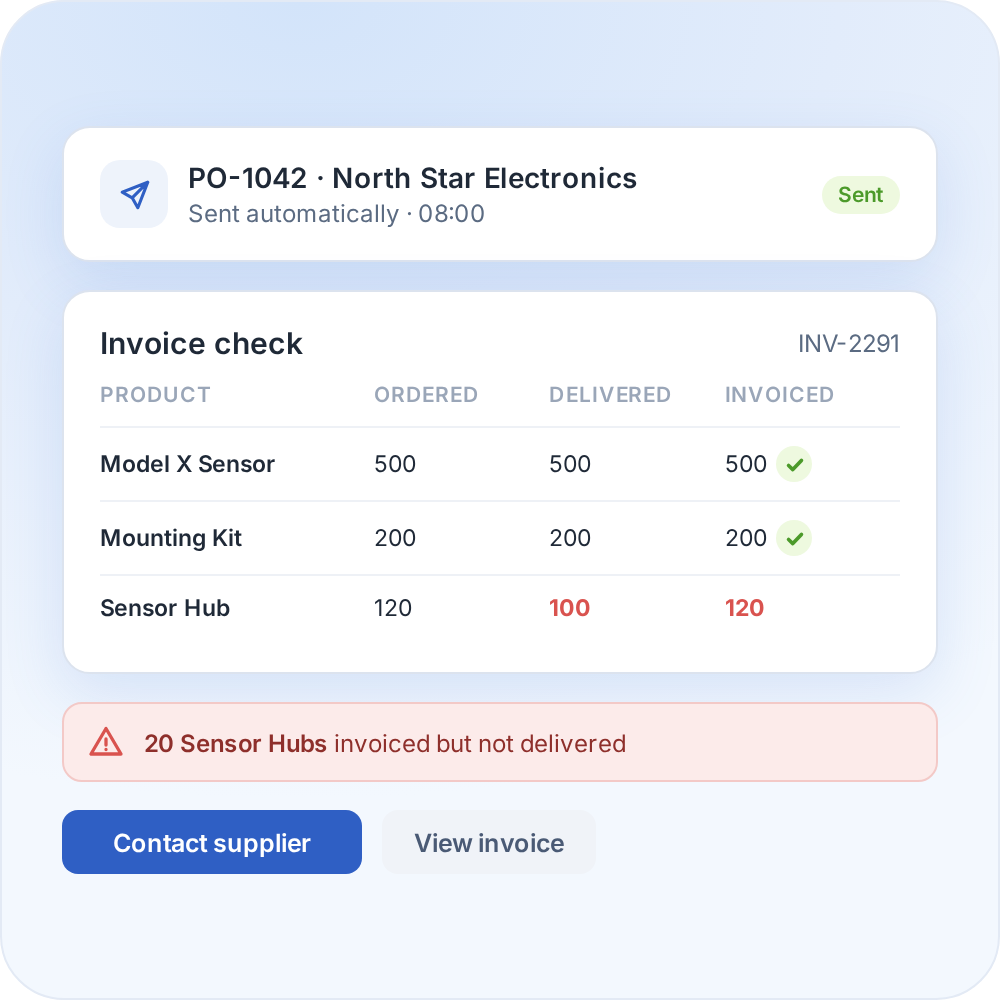
The supply chain agent can place orders and handle supplier communication and invoice discrepancies. The more it is used, the more it learns from the data and manual adjustments.
Automate your replenishment

Whatever system you use, we can connect to it

Optiply easily integrates with e-commerce software, warehouse software, ERPs and more. Any e-commerce store, warehouse or physical store can be linked.

CMS & e-commerce software

Automate your purchasing directly from your online store.

ERPs & CRMs

Easily synchronize purchasing, inventory and sales.

WMS & fulfillment software

Coordinate your purchasing with real-time inventory data.

FAQ

Frequently asked questions about the

Shopware

integration

How does the Shopware integration work?

Optiply support completes the connection with you. Shopware then sends the products, stock levels and sales orders to Optiply, and the supply chain agent turns them into purchasing advice.

Which Shopware data does Optiply use?

Products with name, product number, net price, available stock, status and EAN, plus sales orders and their lines.

How do I connect Shopware to Optiply?

Add Shopware as a source under Settings, Integrations, and contact support. Optiply support completes the connection setup with you.

How long does it take to connect Shopware to Optiply?

There's no fixed setup time for connecting Shopware to Optiply, because it depends on the setup and data. Optiply Support completes the setup with you, and connecting the account and the first data import are separate milestones. Ask Support for the timeline for the setup.

How does Optiply choose the best supplier?

With data-driven supplier management, Optiply looks for the best option automatically and picks the ideal supplier for every order, to lower your purchasing costs.

Does Optiply replace the inventory management in Shopware?

No. Optiply adds forecasting and purchasing automation on top of Shopware.

Always make the right purchasing decisions

Keep control of your supply chain. Know exactly what, when and where to buy and always place the right orders to maximize revenue.

Get a demo

"What used to take a whole day now takes our buyers 15 mins, thanks to automating 92% of our process, whilst we’ve also cut our backorders in half and saved 20% on inventory."

Randy Hatzmann

Operational Manager

,

Mastertools