Automate your replenishment with the Picqer integration

Optiply is the natural complement to Picqer's warehouse software. Optiply's supply chain agent follows the guardrails set by Picqer data and internal purchasing rules, so teams stay in control while orders run automatically. Every decision is explained on SKU level.

Turn Picqer data into purchasing decisions, automatically

Picqer already tracks the sales orders, stock and deliveries. Optiply uses that data to show clearly what to buy and replenish, and uploads the purchase orders to the Picqer warehouse you choose.

  • The supply chain agent shows what to buy based on real-time warehouse insight
  • Prioritise your bestsellers and avoid tying up cash in slow movers
  • Purchase orders go straight to the Picqer warehouse you choose
Turn your system data into purchasing decisions, automatically

How it works

From Picqer data to a purchasing decision in four steps

1

Connect Picqer to Optiply

Connect Picqer to Optiply
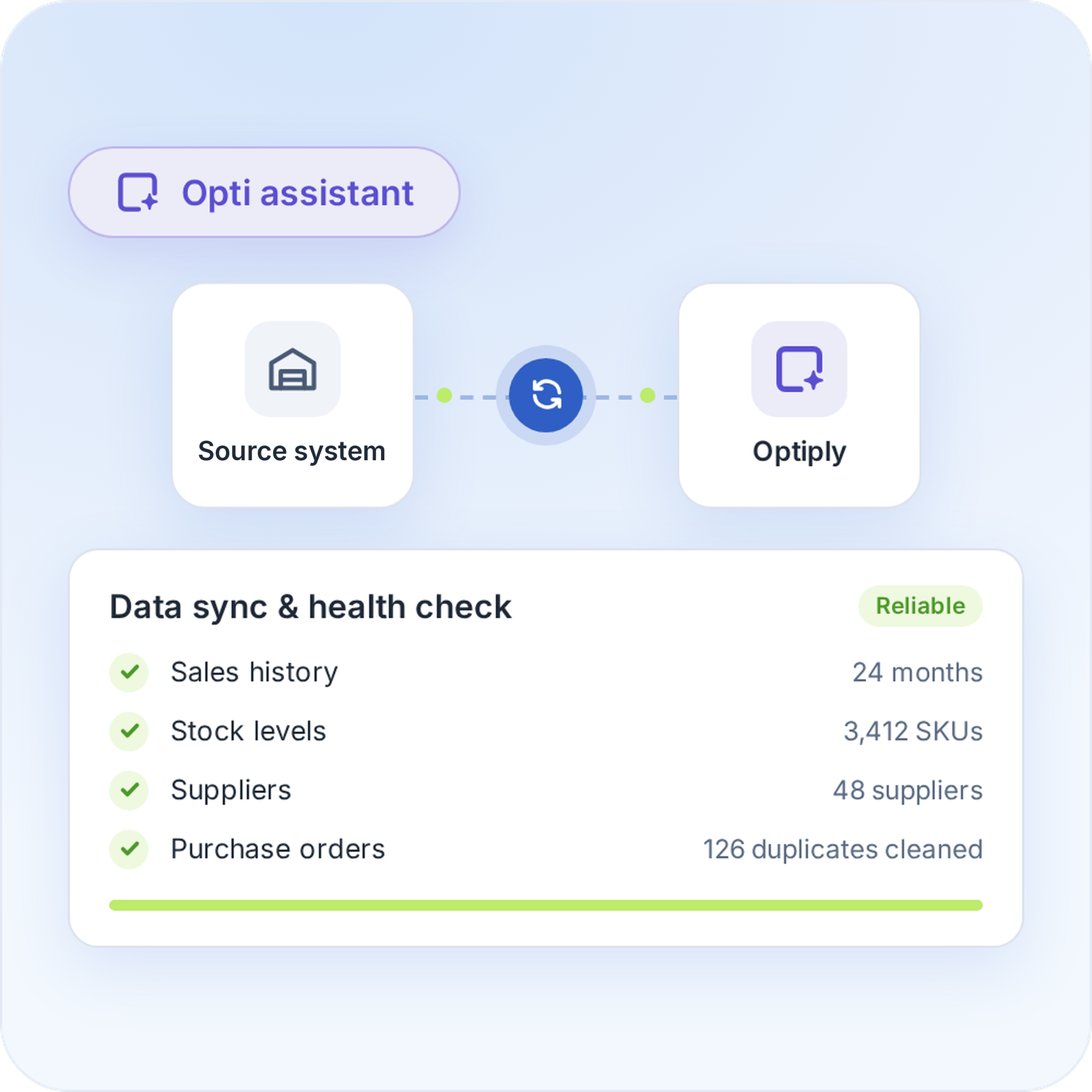
Once you've created an API key in Picqer, Picqer automatically sends the sales orders, product information, supplier information and deliveries to Optiply. Optiply's supply chain agent checks and cleans the data, so its advice rests on reliable information.
Connect Picqer to Optiply
2

Set your inventory targets and purchasing strategy

Set your inventory targets and purchasing strategy
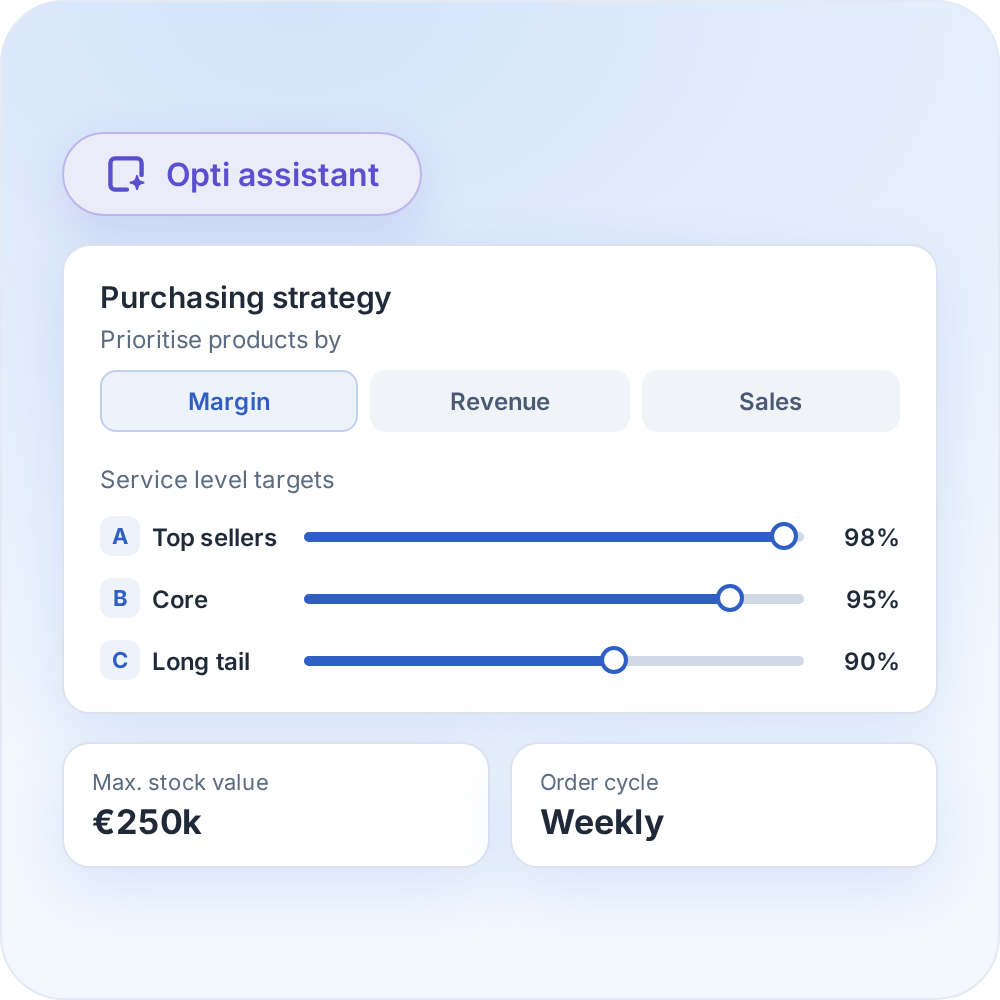
Choose the forecasting and inventory methods you prefer, then set the purchasing rules the supply chain agent works within. Products are prioritised by margin, revenue and sales.
Set your inventory targets and purchasing strategy
3

Review your purchasing advice

Review your purchasing advice
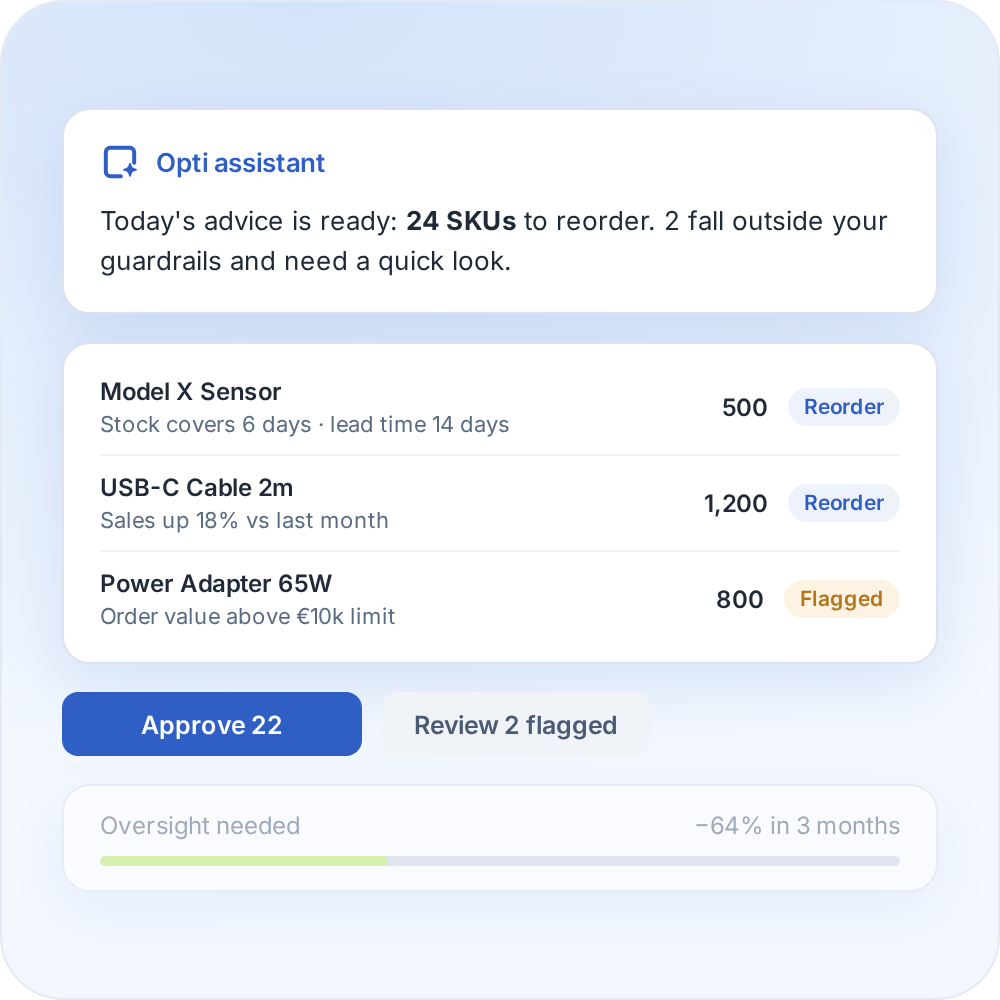
Optiply turns your data into daily purchasing advice and explains it on SKU level. You review and validate it, and as it learns your buying process it only flags what falls outside your guardrails.
Review your purchasing advice
4

Automate your replenishment

Automate your replenishment
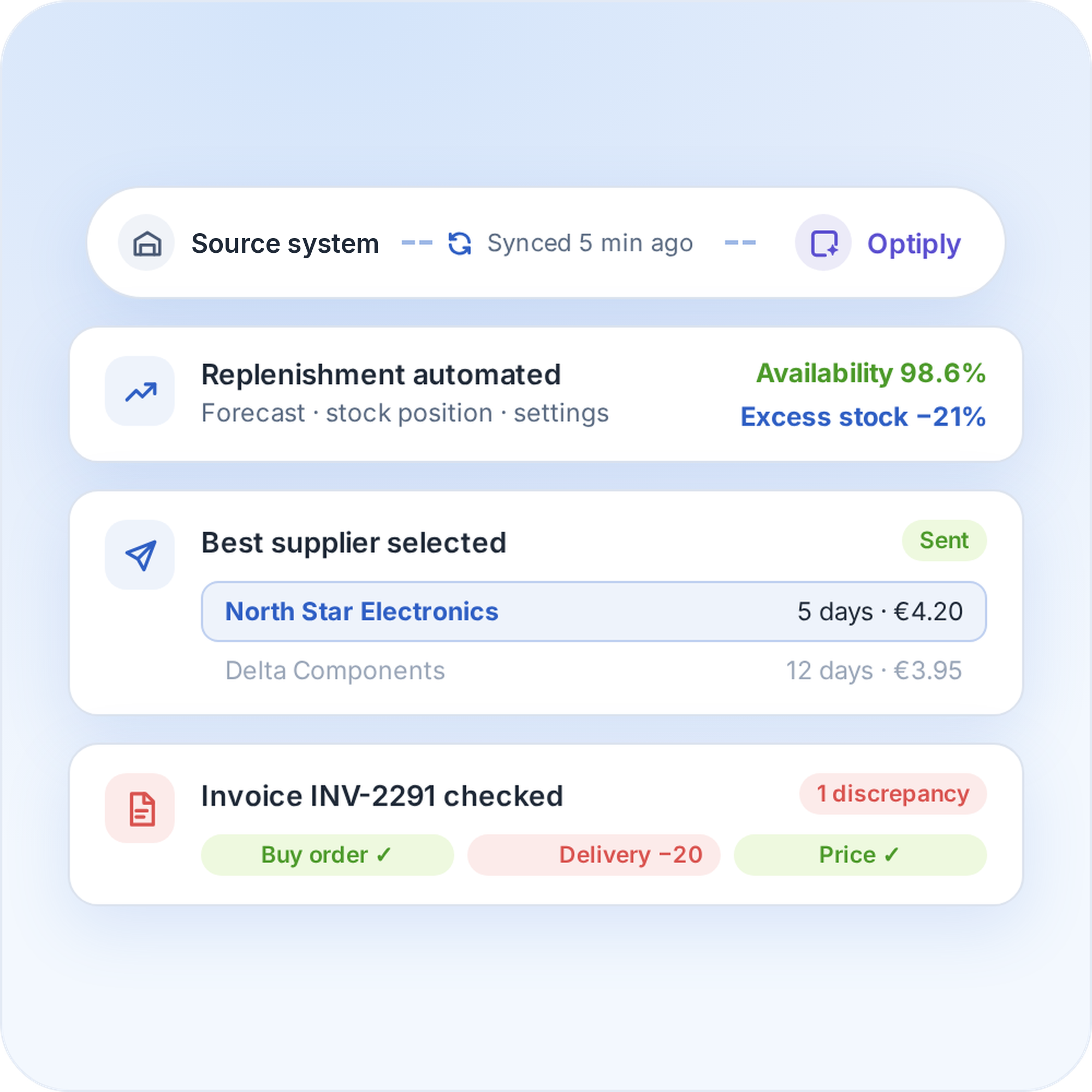
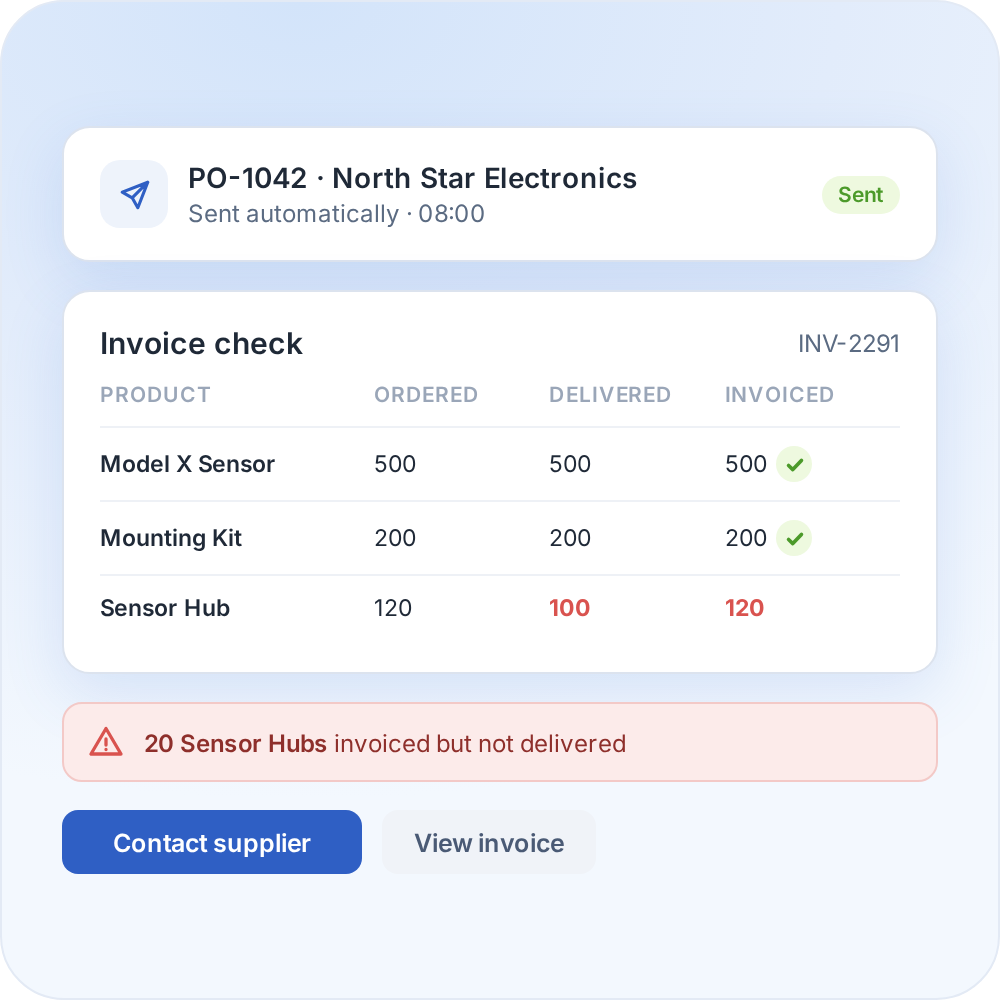
The supply chain agent can place orders and handle supplier communication and invoice discrepancies. The more it is used, the more it learns from the data and manual adjustments.
Automate your replenishment

FAQ

Frequently asked questions about the

Picqer

integration

How does the Picqer integration work?

Picqer sends the sales orders, products, suppliers and deliveries to Optiply through an API key. The supply chain agent calculates purchasing advice, and purchase orders are uploaded to the Picqer warehouse you select.

Which Picqer data does Optiply use?

Sales orders, product information, supplier information, deliveries and purchase orders, for the warehouses you select. Picqer purchase orders are imported nightly.

What do I need to connect Picqer to Optiply?

An API key from Picqer, which is shown only once. Choose an admin key if Optiply should also read your supplier data.

How long does it take to connect Picqer to Optiply?

There's no fixed setup time for connecting Picqer to Optiply, because it depends on the setup and data. You create an API key in Picqer and choose your warehouses, and the first data import follows as a separate step. Optiply Support can confirm the timeline for the setup.

Do purchase orders show up in Picqer?

Yes. Purchase orders sent from Optiply are uploaded to the Picqer warehouse you selected for uploads and appear in Picqer automatically.

Does Optiply replace Picqer's purchasing advice?

No. Optiply adds forecasting and purchasing automation on top of Picqer's own purchasing advice.

Always make the right purchasing decisions

Keep control of your supply chain. Know exactly what, when and where to buy and always place the right orders to maximize revenue.

Get a demo

We can now order faster and better, and our stock levels are also increasingly accurate. You actually see that directly reflected in the business results.

Ewout Gordijn

COO

,

Tackle Group Europe