Automate your replenishment with the Lightspeed integration

Optiply syncs with Lightspeed and gives insight into products based on historical data. Optiply uses that data and the purchasing rules set by the team to calculate what to buy and when, and explains every decision.

Integration type

CMS & Webshop

Turn Lightspeed data into purchasing decisions, automatically

Optiply works with Lightspeed C-Series and R-Series. Your shop data feeds your purchasing advice, so you spend less time on purchasing.

  • The supply chain agent gives insight into products from historical data
  • Works with both Lightspeed C-Series and R-Series
  • Goods receipts and purchase orders go back to Lightspeed automatically
Turn your system data into purchasing decisions, automatically

How it works

From Lightspeed data to a purchasing decision in four steps

1

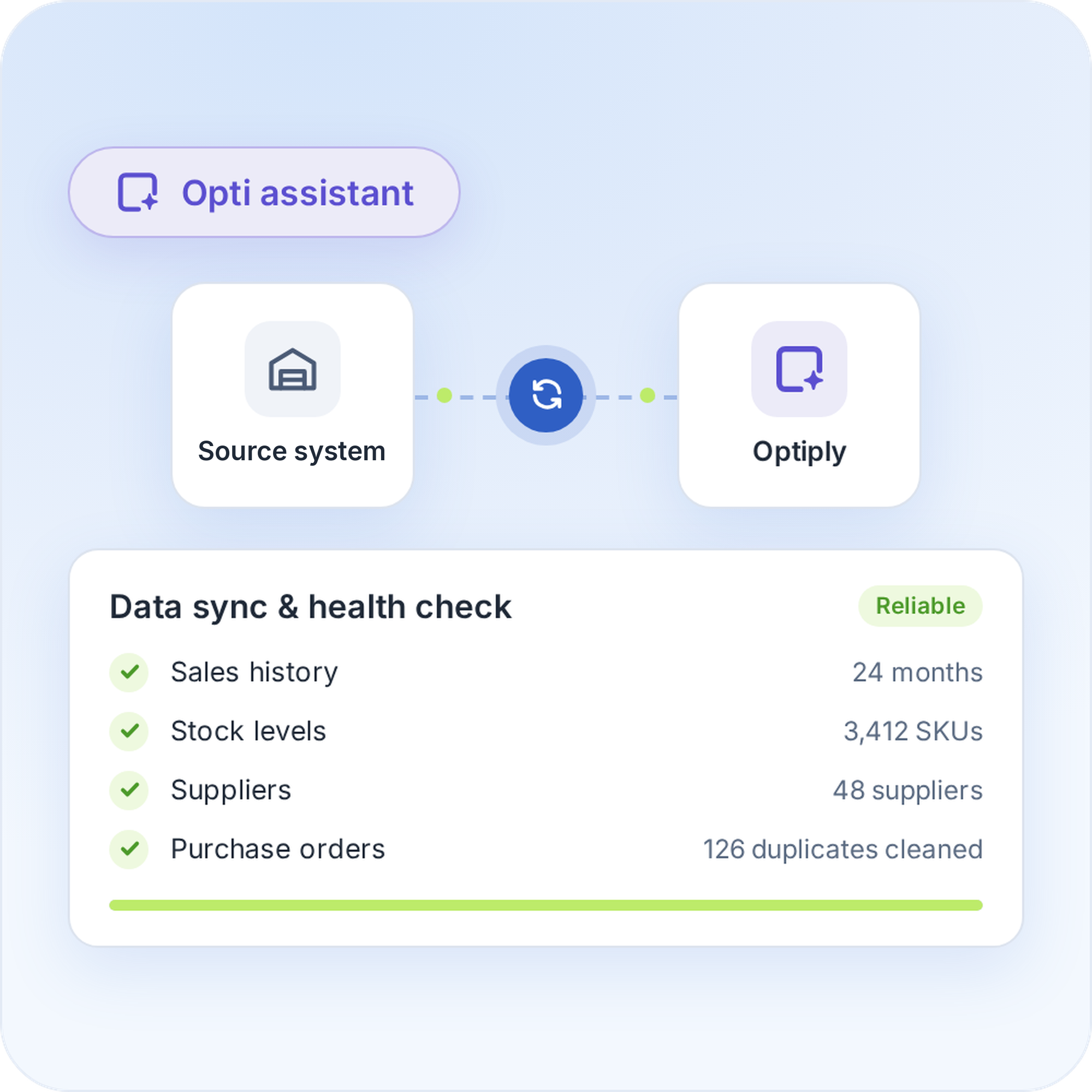
Connect Lightspeed to Optiply

Connect Lightspeed to Optiply
Lightspeed automatically sends the stock, price and supplier data to Optiply. Optiply's supply chain agent checks and cleans the data, so its advice rests on reliable information.
Connect Lightspeed to Optiply
2

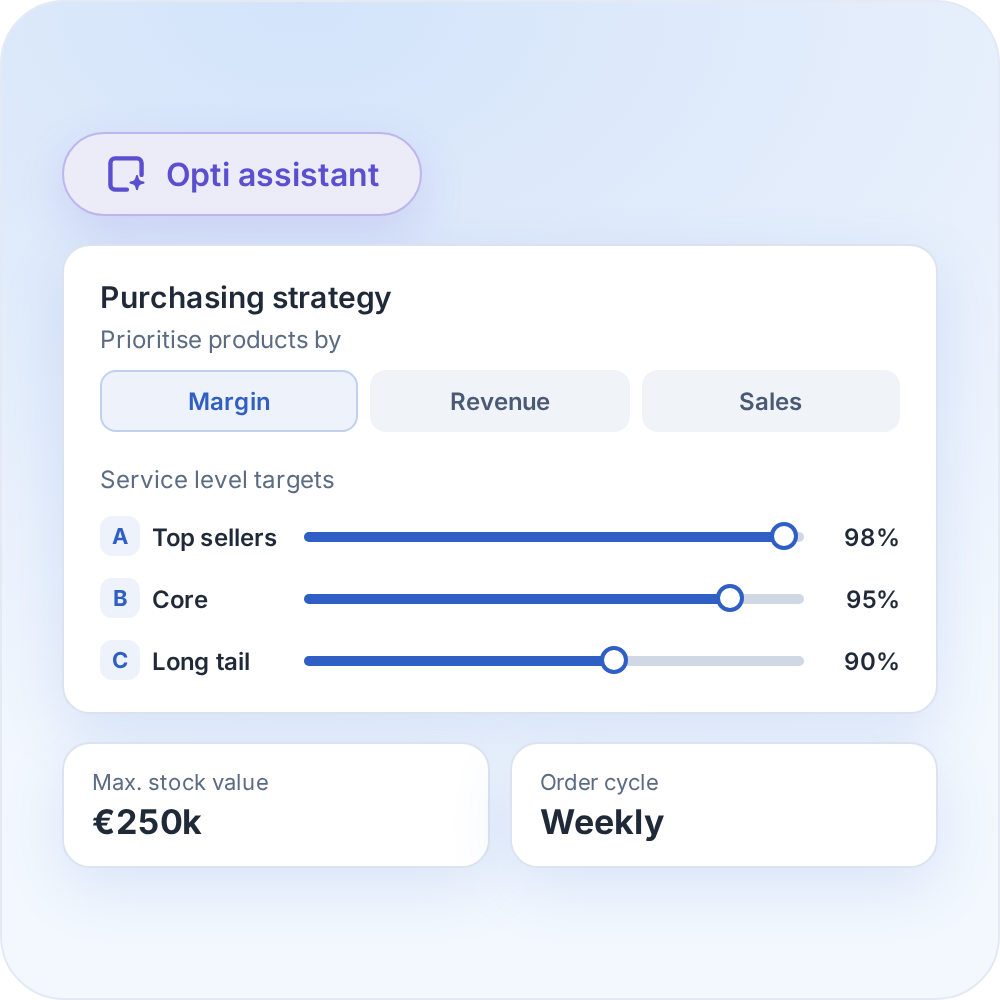
Set your inventory targets and purchasing strategy

Set your inventory targets and purchasing strategy
Choose the forecasting and inventory methods you prefer and enter your lead times and purchasing frequency. The supply chain agent ranks products by margin, revenue and sales.
Set your inventory targets and purchasing strategy
3

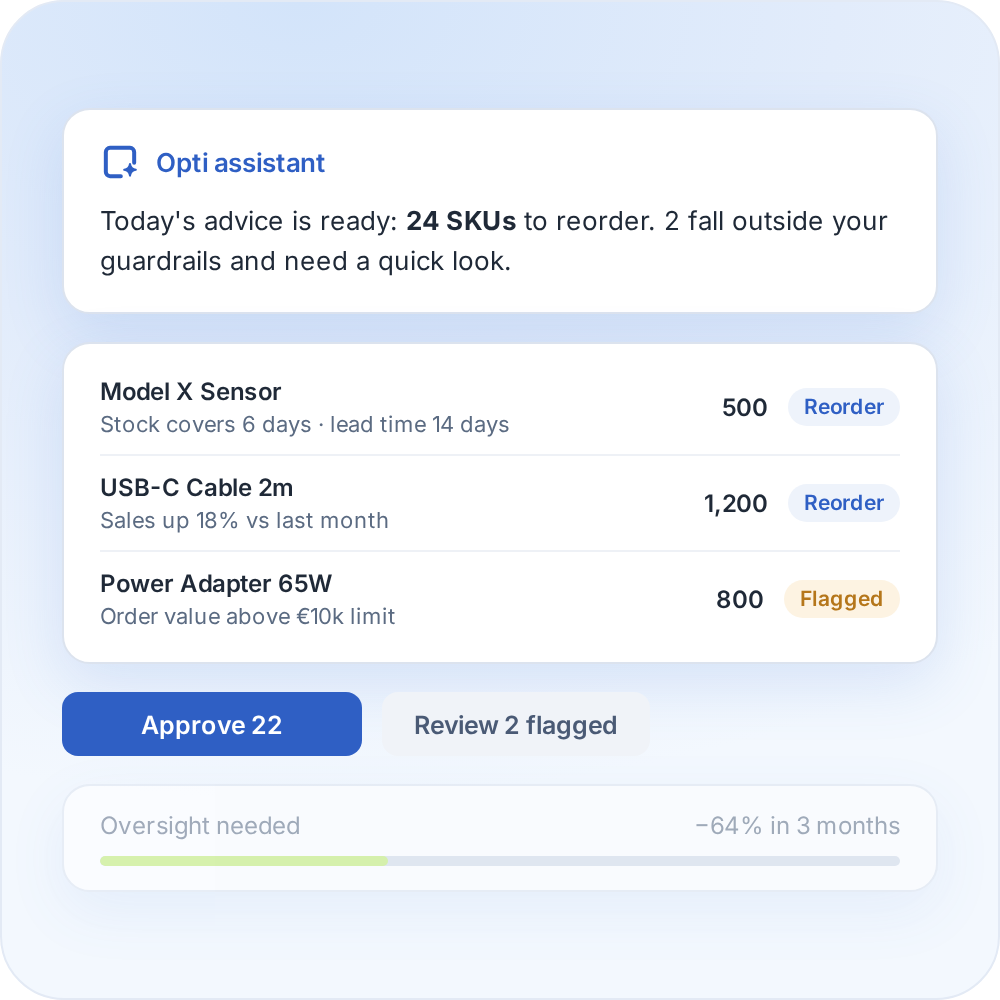
Review your purchasing advice

Review your purchasing advice
Review the purchasing advice Optiply prepares each day, with the reasoning shown per SKU. It learns from how you buy and needs less oversight over time.
Review your purchasing advice
4

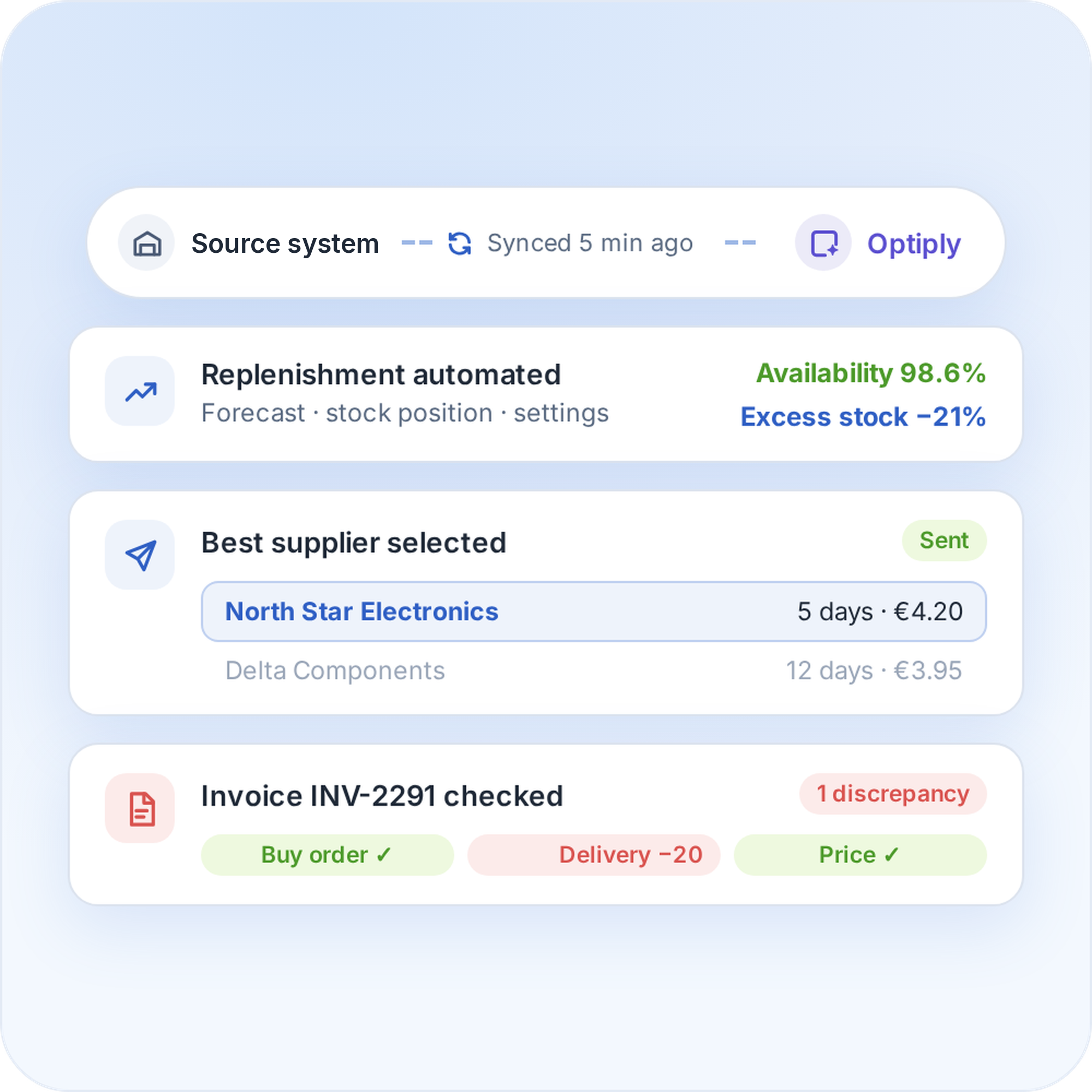
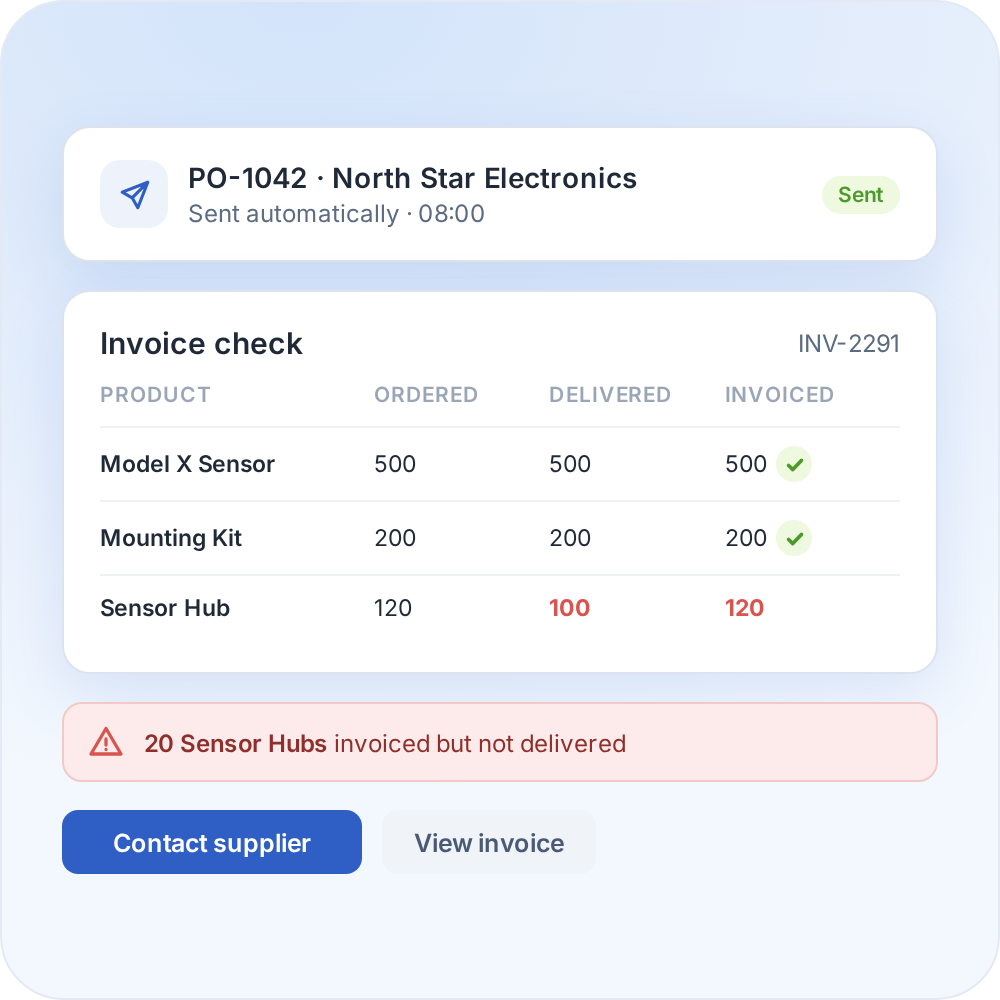
Automate your replenishment

Automate your replenishment
The supply chain agent can place orders and handle supplier communication and invoice discrepancies. The more it is used, the more it learns from the data and manual adjustments.
Automate your replenishment

Whatever system you use, we can connect to it

Optiply easily integrates with e-commerce software, warehouse software, ERPs and more. Any e-commerce store, warehouse or physical store can be linked.

CMS & e-commerce software

Automate your purchasing directly from your online store.

ERPs & CRMs

Easily synchronize purchasing, inventory and sales.

WMS & fulfillment software

Coordinate your purchasing with real-time inventory data.

FAQ

Frequently asked questions about the

Lightspeed

integration

How does the Lightspeed integration work?

Lightspeed sends the stock, price, supplier and order data to Optiply. Optiply's supply chain agent turns it into purchasing advice, and goods receipts go back to Lightspeed.

Which Lightspeed data does Optiply use?

For C-Series: products, suppliers, supplier products and sales orders sync automatically. Hidden products aren't synchronised by default.

What do I need to connect Lightspeed to Optiply?

For C-Series you need an API key and secret from Lightspeed Developers with read permissions, plus product write permission to keep stock up to date. For R-Series you need your Account ID and a default location code.

How long does it take to connect Lightspeed to Optiply?

There's no fixed setup time for connecting Lightspeed to Optiply, because it depends on the setup and data. Connecting the account and the first data import are separate steps, and Optiply Support can confirm the timeline for the setup.

Can I connect multiple Lightspeed shops?

Yes. You can add all your Lightspeed shops to Optiply.

Does Optiply replace the purchasing functions in Lightspeed?

No. Optiply adds forecasting and purchasing automation on top of Lightspeed.

Always make the right purchasing decisions

Keep control of your supply chain. Know exactly what, when and where to buy and always place the right orders to maximize revenue.

Get a demo

"What used to take a whole day now takes our buyers 15 mins, thanks to automating 92% of our process, whilst we’ve also cut our backorders in half and saved 20% on inventory."

Randy Hatzmann

Operational Manager

,

Mastertools